CSS Grid vs Flexbox: When to Use Each Layout Method
CSS Grid vs. Flexbox: When the Rubber Meets the Road
I guess it is finally time to stop talking and actually do some layout with CSS. By this point I’ve probably told you enough times that we are going to be using CSS Grid and Flexbox. There is so much to learn for each but basically they will become two of your BFFs (Best Friends Forever) as a front end developer. Learning to master each of these will definitely take some practice, but I promise you will be so thankful that you learn them and then you’ll be able to be thankful to others who’s code you are able to understand because they learned them as well!
Flexbox: The Straight Shooter
One Track Mind
Flexbox is only really strong in a one dimensional world. So if you need to align items in a row or a column then Flexbox is a great tool to use. It also turns out that Flexbox is pretty great for vertical centering too.
.container {
display: flex;
justify-content: space-between;
align-items: center;
gap: 20px;
}

.item {
flex: 1;
}
Grid: The Chess Master
Double Duty
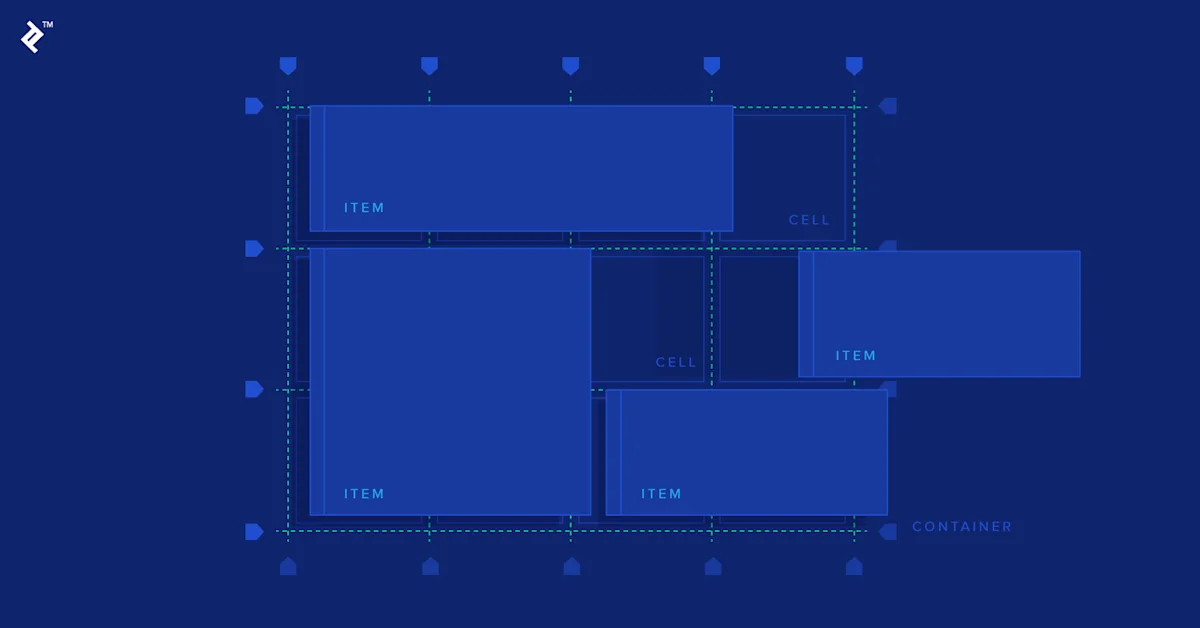
Complex layouts are really hard to understand and to maintain. So where does Grid fit in ? Complex layouts ? => Yes and that is exactly the reason to use Grid layout. As you already know, that a Grid layout is used for positioning the content in two-dimensional grid-based layout. And after spending really huge amount of time to design the complex layouts I must say that after experiencing Grid layout, it really stands out to be amazing.
.grid-container {
display: grid;
grid-template-columns: repeat(3, 1fr);
gap: 20px;
}

.grid-item {
grid-column: span 1;
}
The Real Difference
Single vs. Double Trouble
Here's the thing:
- Flexbox is your one-directional specialist, best for rows or columns.
- Grid is the multitasker, adeptly managing both rows and columns.
Flexbox: When to Call in the Specialist
1. Menu Magic
Flexbox effortlessly handles navigation menus.
.navbar {
display: flex;
justify-content: space-between;
align-items: center;
}
2. Piece Together UI Elements
Arranging buttons like a pro? Flexbox has you covered.
.button-group {
display: flex;
gap: 10px;
}

.card {
display: flex;
flex-direction: column;
}
3. Adapt on the Fly
Flexbox deals with changing content sizes with grace.
.flex-list {
display: flex;
flex-wrap: wrap;
gap: 15px;
}
Grid: The Heavyweight Champion
1. Layouts That Mean Business
For complex page layouts, Grid is in its element.
.page-layout {
display: grid;
grid-template-columns: 200px 1fr 300px;
gap: 20px;
}
2. Organize Like a Boss
Grid dominates dashboards.
.dashboard {
display: grid;
grid-template-columns: repeat(auto-fit, minmax(300px, 1fr));
}
Mixing It Up
A little tidbit: Sometimes you need both. Grid for the global perspective and Flexbox for the fine details.
/* Grid layout for overall structure */
.app {
display: grid;
grid-template-columns: 250px 1fr;
height: 100vh;
}

/* Flexbox for header layout */
.header {
display: flex;
justify-content: space-between;
align-items: center;
}

/* Cards with Grid */
.cards-container {
display: grid;
grid-template-columns: repeat(auto-fit, minmax(300px, 1fr));
}
Browser Battles
And again – both of them have awesome browser support. Flexbox is so good, that it even supports Internet Explorer 8 and 9 (I know, I know).
- Flexbox: Solid support across browsers.
- Grid: We’ve got modern browsers on our side now, so let’s take advantage of this and start ignoring old browsers.
Layout: Who's Got the Edge?
| Who's the Boss | Best Picker | Reasoning |
|---|---|---|
| Navigation menu | Flexbox | One-dimensional alignment, easy peasy |
| Page layout | Grid | Two-dimensional majesty |
| Component styling | Flexbox | Content-driven, no stress |
| Dashboard | Grid | Rows and columns, no problem |
| Centering content | Flexbox | Quick and painless |
| Form layout | Grid | Structure with precision |
| Image gallery | Grid | Responsive, adaptable |
| Button groups | Flexbox | Handles randomness like a champ |
The Bottom Line
One of the most common CSS questions out there is obviously “what is the difference between CSS Grid and Flexbox and which one should I be using?”. And for a lot of people the debate is almost existential. CSS Grid vs Flexbox has almost reached the level of Coke vs Pepsi, apple vs PC or Batman vs Superman. But in all seriousness: the debate is misplaced. CSS Grid and Flexbox are not different tools for the same job, but rather for different jobs altogether. And figuring out when to use each is not that complicated if you remember a simple rule. So here is a simple little secret to CSS Grid vs Flexbox. Flexbox is one dimensional. CSS Grid is two dimensional. Sounds simple. But here is the catch: pretty much all the time your layout will have both dimensions.
Lena Schmidt
Writer at DevPulse covering Web Development.