CI/CD Pipelines with GitHub Actions: A Complete Guide
CI/CD Pipelines with GitHub Actions: A Complete Guide
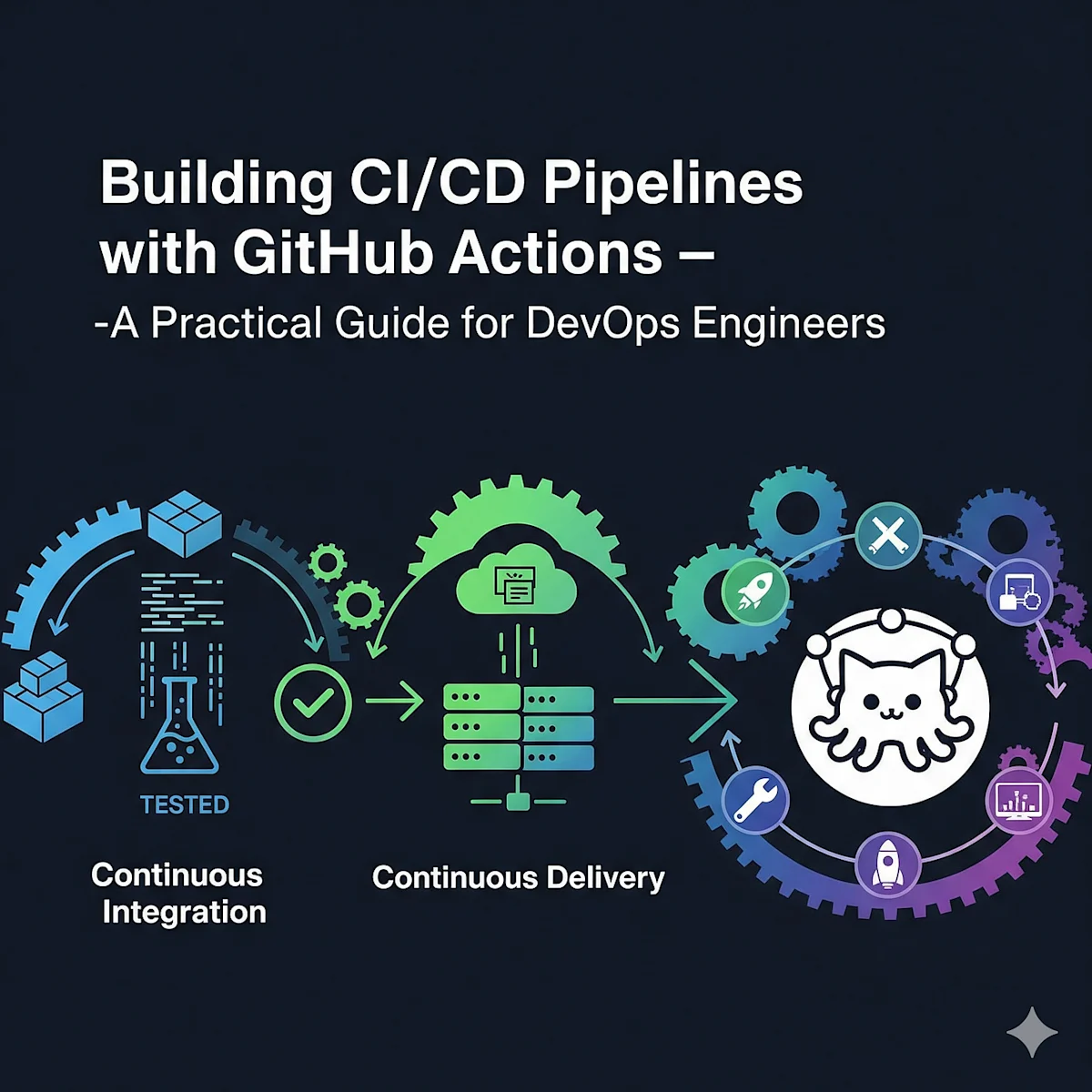
Continuous Integration and Continuous Deployment (CI/CD) is a phrase that you hear everyday when talking about software development. GitHub Actions is a first class citizen, built-in tool for automating workflow processes from the very comfort of your GitHub repository. So in this post we will walk you through from the ground up in order to have a fully functional Continuous Integration and Continuous Deployment (CI/CD) pipeline that can actually make your work easier and more productive.
What is GitHub Actions?
We define a CI/CD platform as a system that automates the process of building, testing and deploying code for any application in any environment, from a small internal system to a large enterprise-wide monolithic app. GitHub Actions makes it simple to automate software build, testing, and deployment of applications. With GitHub Actions, developers can create custom workflows and actions for their repository. With GitHub Actions, the mundane repetitive tasks are handled, allowing for more time to be focused on the task at hand. GitHub Actions automates your workflow. GitHub Actions is deeply integrated with GitHub. This allows developers to create custom workflows and actions for their repositories.
Key Advantages of GitHub Actions
- Native Integration: Built directly into GitHub with no external tools needed
- Free Tier: Generous free minutes for public and private repositories
- Flexibility: Support for any language or platform
- Community: Access to thousands of pre-built actions in the GitHub Marketplace
- Security: Secrets management and OpenID Connect support for secure deployments
Understanding GitHub Actions Concepts
Workflows
A workflow is a defined automated process described in a YAML file located in your repository in the .github/workflows directory. The workflows contain the jobs which run on various events like schedules, or on trigger events.
Events
Events trigger workflow runs. Common events include:
push: Triggered when code is pushed to the repositorypull_request: Triggered when a pull request is created or updatedschedule: Triggered at specified times using cron syntaxworkflow_dispatch: Manual trigger from the GitHub UIrelease: Triggered when a release is published
Jobs
In Artemis we can define Jobs. A Job is a set of actions or steps which are executed on a Runner. All jobs are scheduled and executed in parallel but using the needs keyword in your workflows you can control whether certain jobs should run sequentially or not.
Steps
Steps are actions (tasks) that need to be done in order to finish a task. A step can run a simple shell command or an action.
Actions
Actions are individual pieces of code that you can use as reusable blocks within Steps. There are countless actions available from thousands of community-created Zaps, as well as first-class support for building your own custom actions.
Building Your First Workflow
Let's create a basic CI/CD pipeline for a Node.js application.
GitHub Actions is a powerful tool that automates development workflows by providing functions for continuous integration, testing, and deployment from repositories.
Basic Node.js CI/CD Workflow
This workflow automating testing and building for Node.js:
- Only on push on main and develop branches and pull requests on main
- Runs on Ubuntu
- Tests multiple Node.js versions
- Install dependencies, run linting, test and build application
Advanced Workflow Patterns
Examples of advanced patterns include:
- Conditional Execution: Run steps based on conditions.
- Job Dependencies: Wait for jobs to finish before proceeding.
Deploying with GitHub Actions
- Docker Container Deploy: On push to main and version tags, deploy to docker registry
- Cloud Platforms: AWS for deployment integration
Best Practices
Security considerations:
- Use secrets
- Minimise permissions
- Review third party actions and use OIDC where possible
Performance optimization:
- Cache dependencies
- Run parallel and sequential jobs
- Selective triggers
Maintainability:
- Use standards for naming your workflows
- Document complex logic
- Recreate reusable workflows
Monitoring and Debugging
See the workflow runs in the Actions tab, view logs and download artifacts. Add a means to enable debug logging for troubleshooting.
Real-World Example: Complete Pipeline
Here's a production-ready pipeline for a full-stack application:
name: Full Stack CI/CD

on:
  push:
    branches: [ main ]
  pull_request:
    branches: [ main ]

env:
  REGISTRY: ghcr.io
  IMAGE_NAME: ${{ github.repository }}

jobs:
  test:
    runs-on: ubuntu-latest
    services:
      postgres:
        image: postgres:15
        env:
          POSTGRES_PASSWORD: postgres
        options: >-
          --health-cmd pg_isready
          --health-interval 10s
          --health-timeout 5s
          --health-retries 5
    steps:
      - uses: actions/checkout@v4
      - uses: actions/setup-node@v4
        with:
          node-version: '20'
          cache: 'npm'
      - run: npm ci
      - run: npm run lint
      - run: npm test
        env:
          DATABASE_URL: postgresql://postgres:postgres@localhost/test

  build:
    needs: test
    runs-on: ubuntu-latest
    permissions:
      contents: read
      packages: write
    steps:
      - uses: actions/checkout@v4
      - uses: docker/setup-buildx-action@v3
      - uses: docker/login-action@v3
        with:
          registry: ${{ env.REGISTRY }}
          username: ${{ github.actor }}
          password: ${{ secrets.GITHUB_TOKEN }}
      - uses: docker/build-push-action@v5
        with:
          context: .
          push: true
          tags: ${{ env.REGISTRY }}/${{ env.IMAGE_NAME }}:${{ github.sha }}
          cache-from: type=registry,ref=${{ env.REGISTRY }}/${{ env.IMAGE_NAME }}:buildcache
          cache-to: type=registry,ref=${{ env.REGISTRY }}/${{ env.IMAGE_NAME }}:buildcache,mode=max

  deploy:
    needs: build
    runs-on: ubuntu-latest
    if: github.ref == 'refs/heads/main' && github.event_name == 'push'
    steps:
      - uses: actions/checkout@v4
      - name: Deploy to production
        env:
          DEPLOY_KEY: ${{ secrets.DEPLOY_KEY }}
          DEPLOY_HOST: ${{ secrets.DEPLOY_HOST }}
          IMAGE_TAG: ${{ github.sha }}
        run: |
          mkdir -p ~/.ssh
          echo "$DEPLOY_KEY" > ~/.ssh/id_rsa
          chmod 600 ~/.ssh/id_rsa
          ssh-keyscan -H $DEPLOY_HOST >> ~/.ssh/known_hosts
          ssh -i ~/.ssh/id_rsa deploy@$DEPLOY_HOST "docker pull ${{ env.REGISTRY }}/${{ env.IMAGE_NAME }}:$IMAGE_TAG && docker run -d --name app ${{ env.REGISTRY }}/${{ env.IMAGE_NAME }}:$IMAGE_TAG"
Conclusion
Learning and understanding GitHub Actions is best done with the actual tool. In this episode, we'll show that despite having features like workflows, matrix builds, reusable actions and cloud integrations it actually can be quite useful as a Continuous Integration and Continuous Deployment (CI/CD) tool.
Start small and scale up. Always keep in mind security, performance and maintainability. GitHub Actions can help you with achieving better code quality, reducing human error and get into production even faster.
Our Continuous Integration/Continuous Deployment (CI/CD) pipelines were quite a large time investment, but they have had a huge pay off in terms of productivity and we are now able to release our software more frequently.
Marcus Rivera
Writer at DevPulse covering DevOps.